Photo Retouch-Object Removal
Shenzhen Tushi Technology Co.,Ltd · Photo & Video
This page shows how Photo Retouch-Object Removal performs across the App Store optimization signals that matter most — discoverability, conversion, freshness, and trust. The full score breakdown is available inside Komori.
Unlock the full ASO score
See the complete score, grade, and breakdown for Photo Retouch-Object Removal inside Komori.
Photo Retouch-Object Removal — App Store optimization overview
This page looks at Photo Retouch-Object Removal through the lens of App Store optimization — not as a product review, but as a store listing. The question is whether the visible page gives Apple users strong reasons to tap, trust, and install.
Strong App Store optimization combines a credible rating profile, compelling visuals, recent updates, clear category fit, and metadata depth. Komori scores all of these signals and surfaces the full breakdown inside the app.
Whether you're benchmarking a competitor or auditing your own listing, Komori gives you the full picture — keyword rankings, competitor analysis, and conversion signals. Download Komori →
4.5
121.1K ratings
12
Supported language codes
8
Screenshots on this page
Aug 20, 2026
Current version release
App Store listing snapshot
Developer
Shenzhen Tushi Technology Co.,Ltd
Category
Photo & Video
Price
Free
Version
5.27
Age rating
4+
File size
207 MB
Minimum iOS
13.0
Bundle ID
com.biggerlens.photoretouch
ASO analysis
Full analysis in Komori
Strengths, opportunities, and improvement recommendations — all inside the app.
App Store screenshots
Visual assets are one of the strongest conversion signals in an App Store listing.
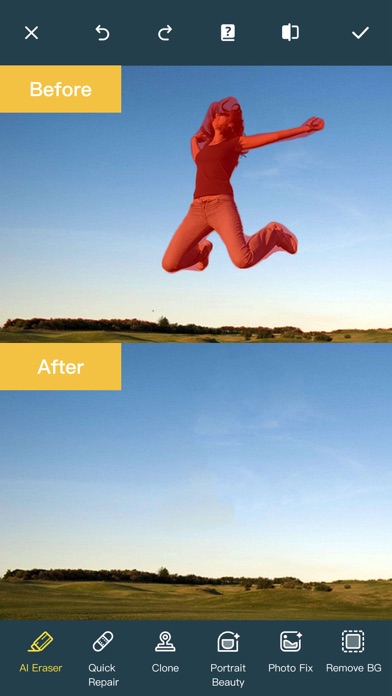
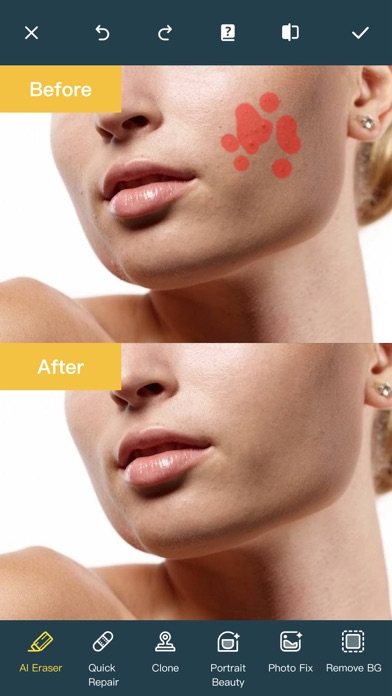
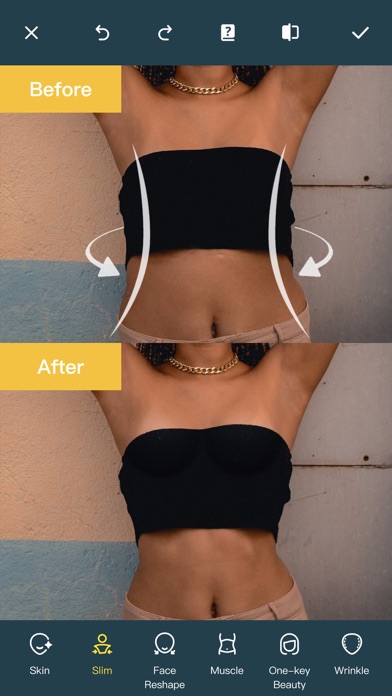
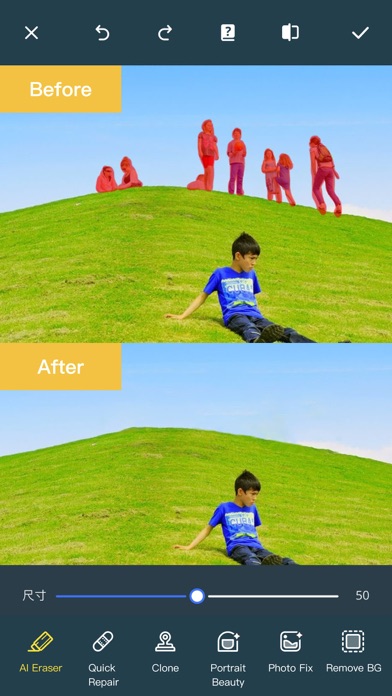
Description
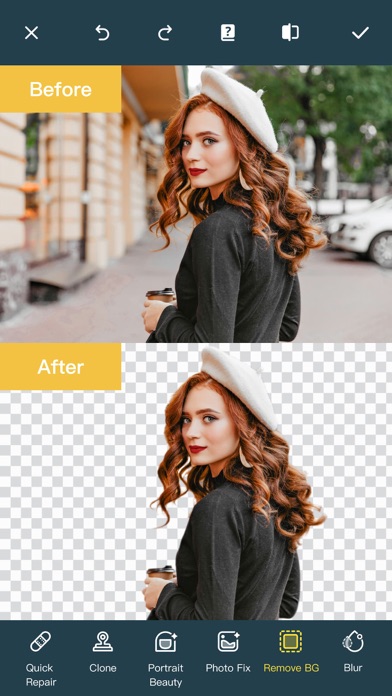
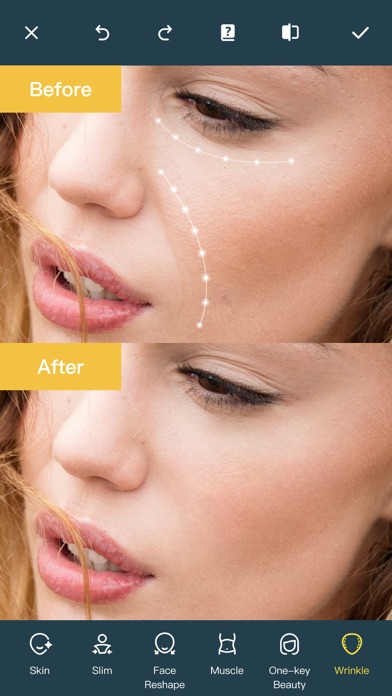
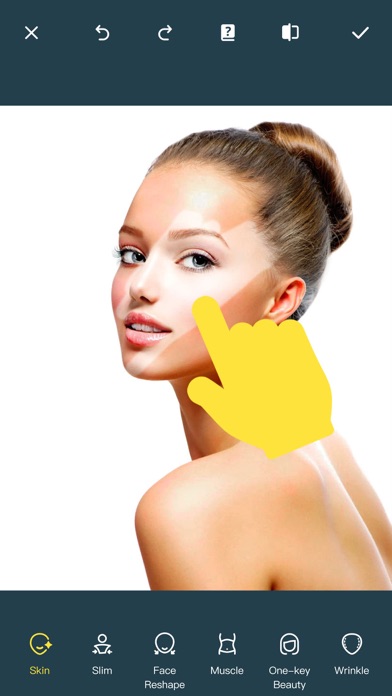
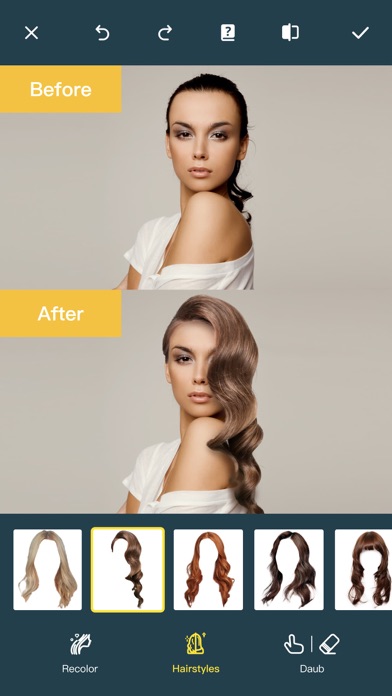
Ever wanted to remove unwanted people, unsightly pimples from a photo/video? Now you can. Photo Retouch can make people, blemish disappear as if they were never there. Very simple to use. Simply paint the items, and touch run erase. Make fun pictures/videos, remove unwanted people, remove unsightly pimples, clean up the perfect shot. Even more features: *Powerful AI Photo Editor, add text, filters and effects to photos. *Face Options: V-Face,Narrow Face,Little Face,Thin Face,Forehead,Chin,Cheekbones,Mandible Bone. *Eye Options: Big Eye, Eye Opening, Eye Distance,Eye Angle,Brilliant. *Nose Options: Long Nose,Thin Nose,Thin Philtrum. *Mouth Options: Shape, Smile,Beautiful Teeth. *Skin Options: Blur, Whitening, Sharpen, Rosy, Dark Circles, Nasolabial. *Eliminate Acne, Wrinkle Killer, Thin Whiten Face. *Hundreds of new image filters. *Makeup Editing: Dozens of editable makeup for you to choose. *Beautify Body:Turn your snaps into a model portfolio in a few minutes. *Live Photo Editing: Beautify Live Photos instantly. *AI Expansion: smartly fills in scenes for one-click expansion. *AI Hairstyle Changer: AI-powered hairstyle transformation, freely change your look. *AI Drawing: turns text or images into images and create artistic pictures with AI. *AI Background Remover: Precise cutouts with smart recognition, quickly change backgrounds. *Collage: Change layouts, switch backgrounds, seamlessly splice, and collage images to capture life's moments. *Hairstyle and Hair Color: Change hairstyles and hair color, enhancing your beauty from the top down. *Old Photo Restoration: Add more color to your old photos. *Clarity repair: Turn blurry photos into high-definition in seconds, improving image quality. *Image Fill Color: Fill color to your old photos automatically. *Face Blur: Blur the faces in the video Easily. *Track Blur: Remove/blur the moving people/blemish in the video. *Powerful AI Editing: AI Face Restoration, AI Facial coloring restoration, AI Retouch custom prompt editing, AI Nail Design, AI Hairstyle, AI Photo Generator. *Cloud Storage: Backup your editing result via cloud center. Premium Package Subscription - You can subscribe for large cloud storage space & premium features - Payment will be charged to iTunes Account at confirmation of purchase - You will be able to use large cloud storage space & premium features for the duration of the subscription - Subscription automatically renews for the same price and duration period as the original "one week"/"one month"/"one year" package unless auto-renew is turned off at least 24-hours before the end of the current period - Account will be charged for renewal within 24-hours prior to the end of the current period at the cost of the chosen package (weekly, monthly or yearly package) - Subscriptions may be managed by the user and auto-renewal may be turned off by going to the user's iTunes Account Settings after purchase - No cancellation of the current subscription is allowed during active subscription period - You may cancel a subscription during its free trial period via the subscription setting through your iTunes account. This must be done 24 hours before the end of the subscription period to avoid being charged. Please visit http://support.apple.com/kb/ht4098 for more information - You may turn off the auto-renewal of your subscription via your iTunes Account Settings. However, you are not able to cancel the current subscription during its active period - Any unused portion of a free trial period, if offered, will be forfeited when the user purchases a subscription to that publication, where applicable Links to our Terms of Service and Privacy Policy can be found below Privacy Policy:https://privacy.tushikeji.com/app/privacy?name=photoretouch&os=ios&language=en&channelNo=1 Terms of Use: https://privacy.tushikeji.com/app/userAgreement?name=photoretouch&os=ios&language=en&channelNo=1
Release notes
Major Update! This update brings richer portrait and creative tools, more precise adjustments, and a smoother editing experience. 1. New Beautify: Enhance your face shape, facial features, blemishes, and overall look in one tap for natural, polished results. 2. Upgraded AI Beautify: Fine-tune your lips, nose, and eyes with a variety of personalized effects. 3. New Future Baby: Upload your photos and discover what your future baby might look like. 4. Reorganized Portrait Beauty and Body Reshape tools for quicker access and a more efficient workflow. 5. Improved the layout and interactions for Face Reshape and Makeup, making editing smoother and easier. 6. Consolidated the hairstyle tools and improved the overall workflow, making styling adjustments smoother and more efficient.
Useful links
FAQ — Photo Retouch-Object Removal App Store optimization
What is the App Store optimization score for Photo Retouch-Object Removal?
Photo Retouch-Object Removal's ASO score is calculated from visible App Store signals including ratings, review volume, screenshot coverage, localization breadth, listing freshness, and trust signals. Download Komori to unlock the full score and breakdown.
How can Photo Retouch-Object Removal improve its App Store optimization?
Photo Retouch-Object Removal can improve its App Store performance through stronger creatives, sharper metadata, more frequent updates, better review quality, and deeper keyword targeting. Komori surfaces exactly those opportunities — download the app to get started.
What does App Store optimization mean for Photo Retouch-Object Removal?
App Store optimization for Photo Retouch-Object Removal means improving its visibility and conversion on the App Store — covering keyword ranking, creative assets, category positioning, and rating signals. Komori tracks all of these in one place.
More App Store optimization analyses
Explore how other apps in the same category perform on App Store optimization.
Want the full ASO score for any App Store app?
Download Komori to unlock keyword research, competitor tracking, ranking history, and the complete ASO score for any app on the store.